

Browser Extensions That Automatically Find Coupon Codes While You Shop
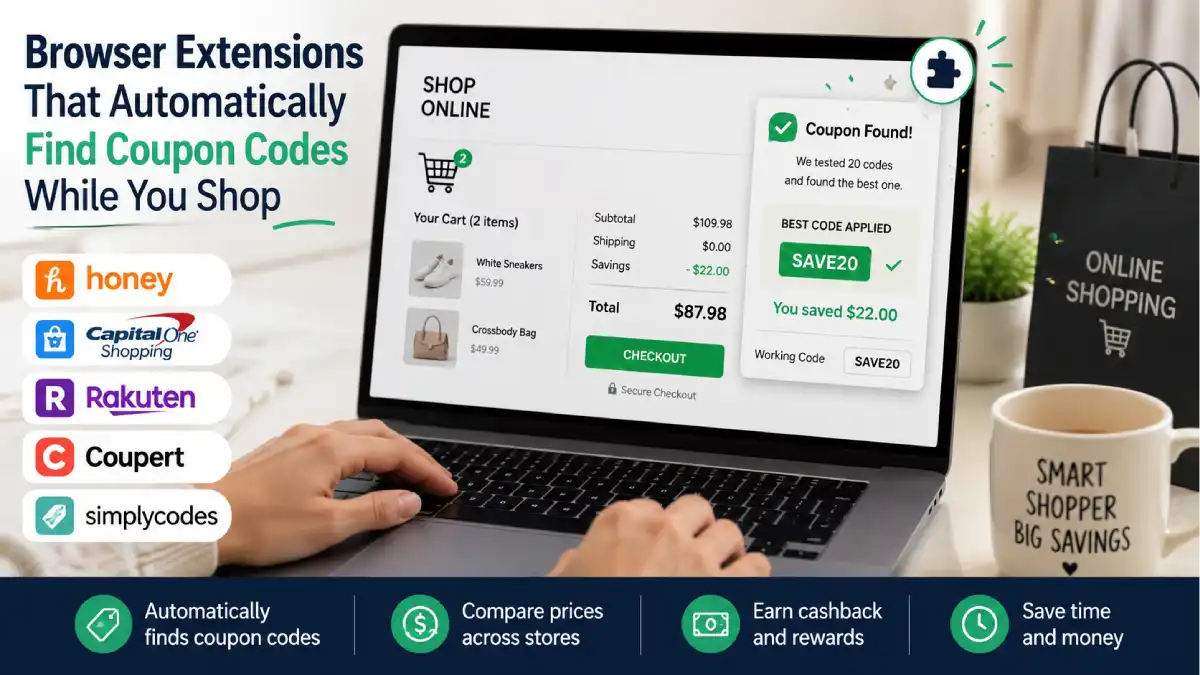
There’s a specific kind of shopping guilt that comes from checking out, seeing your total, and finding out three days later that there was a working 20% off code you never used. Manually hunting for coupon codes across a dozen tabs before every purchase is exhausting, and honestly, most people just give up and pay full price out of pure fatigue.
This is exactly the problem coupon-finding browser extensions were built to solve. Install one, and it quietly tests every known coupon code for a store automatically the moment you hit checkout, applying whichever one saves you the most. No searching, no copy-pasting codes into a dozen boxes, no guessing which one actually works. Here’s how these tools function, which ones are worth having installed, and what to watch out for.
Jump Links
- How Coupon-Finding Extensions Actually Work
- The Main Extensions Worth Knowing About
- Extension Comparison Table
- Coupon-Finder vs. Cashback: What’s the Difference
- Can You Stack Multiple Extensions at Once
- Privacy and Data Considerations
- Privacy Consideration Table
- How to Get the Most Savings Out of These Tools
- FAQ
- The Bottom Line
How Coupon-Finding Extensions Actually Work
At their core, coupon-finding extensions function like automated bargain hunters built directly into your internet browser. They sit quietly in the background as you shop online, remaining completely inactive until you arrive at a supported retailer’s cart or checkout page.
Once triggered, the technology behind these extensions goes through a fast, multi-step process to secure your discount:
- Crowdsourced and Verified Databases: Extensions pull from massive, continuously updated servers containing thousands of promotional codes. These codes are aggregated from user submissions, direct retail affiliate partnerships, and web crawlers that scan the internet for active promo offers.
- Automated Script Testing: Instead of forcing you to type, copy, and paste dozens of dead or expired codes manually, the extension runs an automated script. In a matter of seconds, it plugs each code into the store’s “promo code” field, registers the site’s response, and calculates the actual dollar savings.
- Stacking and Highest-Value Selection: Once every available code is tested, the algorithm compares the final prices and automatically applies the single code (or valid combination of codes) that delivers the absolute lowest total at checkout.
- Cross-Retailer Price Tracking: Advanced extensions take this a step further by scanning product identifiers (like UPC codes or exact item names) across competitor websites. If the identical pair of shoes or tech gadget is listed for less on another major site, a pop-up alert will notify you before you commit to the purchase.
The entire process unfolds in the background within 5 to 10 seconds. You don’t need to hunt down obscure coupon blogs or guess whether a code is expired—the tool does the heavy lifting before you enter your payment details.
The Main Extensions Worth Knowing About
Not all coupon tools are built the same—some prioritize raw discount code success rates, while others focus on price history, cashback rewards, or cross-retailer price matching. Choosing the right extension depends on whether you prefer a quick, no-nonsense tool or a full-featured savings assistant.
Here is a closer look at the top browser extensions leading the market today:
- Honey (by PayPal): As one of the pioneers in this space, Honey offers a well-rounded suite of features. Beyond its automatic coupon-testing tool, its stand-out feature is Droplist and Price History, which tracks product prices over time on sites like Amazon to show whether you’re getting a genuine deal or a temporary price hike. Its rewards program (PayPal Rewards) lets you earn points redeemable for cash or gift cards, though reward rates vary widely by merchant.
- Capital One Shopping: While backed by a major bank, this extension is completely free for anyone to use—no Capital One credit card or bank account needed. It shines brightest in real-time price comparisons. While you browse an item on Target or Amazon, it scans thousands of other online stores in the background to alert you if the exact same product is listed cheaper elsewhere (factoring in shipping costs and tax).
- Rakuten: Unlike pure coupon testing extensions, Rakuten is the industry heavyweight for cashback rewards. Instead of modifying your price tag upfront, it tracks your shopping session and credits a percentage of your total spend back to your account. Payouts are delivered quarterly via direct deposit, check, or PayPal. It occasionally offers exclusive promo codes, but its primary value lies in guaranteed cashback percentages at thousands of partner stores.
- Coupert: Designed as a hybrid tool, Coupert attempts to bridge the gap between automatic coupon testing and cashback accumulation. It scans for working promo codes at checkout while simultaneously activating cashback opportunities. This makes it a great single-extension alternative for shoppers who want both perks without cluttering their browser with multiple add-ons.
- SimplyCodes: Built for users who value speed and privacy over complex rewards points. SimplyCodes strips away bulky rewards programs, price trackers, and aggressive pop-ups to focus entirely on crowdsourced promo code accuracy. Driven by an active community that verifies codes in real-time, it frequently uncovers niche promotional codes and single-use codes that larger extensions often miss.
Extension Comparison Table
| Extension | Primary Function | Rewards Type | Account Required | Notes |
|---|---|---|---|---|
| Honey | Coupon code testing | Gift cards (Honey Gold) | Free account | Also includes price tracking |
| Capital One Shopping | Price comparison + coupons | Gift cards | No Capital One account needed | Compares prices across 100,000+ retailers |
| Rakuten | Cashback | Cash via check/PayPal | Free account | Doesn’t actively test coupon codes |
| Coupert | Coupon testing + cashback | Gift cards/cash | Free account | Combines two savings types in one tool |
| SimplyCodes | Coupon code testing | None (savings only) | None required | Simple, no rewards program layer |
Coupon-Finder vs. Cashback: What’s the Difference
It is easy to lump all shopping extensions into the same bucket, but coupon finders and cashback platforms operate on entirely different financial models. They solve two distinct problems during checkout, and understanding how each works is the key to maximizing your total savings.
Here is how the two mechanisms break down side-by-side:
- Coupon Finders (Upfront Instant Savings): Tools like Honey, SimplyCodes, and Coupert focus on immediate gratification. They test promo codes to reduce your cart total before you enter your credit card details. You pay less money out of pocket at the exact moment of purchase.
- Cashback Tools (Post-Purchase Rebates): Platforms like Rakuten (and the cashback features in Coupert) do not lower your checkout total today. Instead, you pay full price at checkout, and the retailer pays a commission to the cashback platform for driving the sale. That platform then shares a percentage of that commission back with you as a rebate—delivered via PayPal, check, or bank transfer after a standard verification window (usually 30 to 90 days).
Real-World Dollar Breakdown Example
To see the practical difference, imagine buying a $100 winter jacket:
- Scenario A (Coupon Finder Only): The extension finds a 15% off promo code. Your cart total drops immediately to $85. You pay $85 out-of-pocket today.
- Scenario B (Cashback Tool Only): You activate a 10% cashback offer. Your cart total remains $100. You pay $100 out-of-pocket today, and receive $10 cash back in your account a few weeks later (net cost: $90).
Neither method is inherently superior—they simply attack the purchase price at different stages of the transaction. This distinction is precisely why savvy shoppers pair both tools together to stack upfront discounts with long-term rebates wherever allowed.
The $10 ‘Marshalls’ Find: 5 Tips to Score Luxury Beauty for Under $15
Can You Stack Multiple Extensions at Once
Generally yes, and it’s actually a common strategy: run a coupon-testing extension alongside a cashback extension so you’re covered on both fronts. That said, a few practical wrinkles are worth knowing:
- Applying an external coupon code can sometimes void a retailer’s Rakuten cashback, since the retailer’s cashback terms are often based on the original, non-discounted price.
- When a coupon code offers a bigger discount than the cashback percentage would provide, take the code. A 15% off code on a $100 purchase saves $15, which beats a smaller cashback percentage even if it means forfeiting that cashback.
- For small codes worth just a few dollars, it’s often smarter to skip the code and let cashback apply instead, since a tiny discount isn’t usually worth losing a cashback payout over.
- Two extensions from the same category (two separate coupon-testers, for example) don’t add extra value and can even conflict at checkout, so one solid tool per category is generally the smarter setup.
Privacy and Data Considerations
These tools are genuinely useful, but it’s worth going in with clear eyes about what they need access to in order to function. Because they operate directly at checkout, most coupon and cashback extensions require permission to read and interact with the pages you visit on shopping sites, and they typically collect data about your browsing and purchase habits in order to serve relevant offers and track cashback eligibility.
This isn’t necessarily a dealbreaker, but it’s worth treating like any other browser extension permission request: install only from official browser web stores, review what permissions are being requested, and avoid installing multiple overlapping extensions that all want the same broad access for no added benefit.
Privacy Consideration Table
| Consideration | What to Check | Why It Matters |
|---|---|---|
| Source of installation | Official Chrome/Edge/Firefox web store only | Reduces risk of installing a fake or malicious lookalike extension |
| Permissions requested | Should generally be limited to shopping/checkout sites | Overly broad permissions across all websites are a red flag |
| Data collection policy | Check the extension’s privacy policy before installing | Most legitimate tools collect browsing data to function; know what’s being shared |
| Number of extensions installed | Avoid redundant overlapping tools | Fewer extensions means a smaller overall data footprint and less checkout conflict |
| Update frequency | Recently updated extensions are generally safer | Abandoned extensions are more likely to have unpatched security issues |
How to Get the Most Savings Out of These Tools
Having these browser tools installed is only half the battle—knowing how to orchestrate them without causing technical conflicts is what separates casual online shoppers from power savers.
Follow these actionable strategies to squeeze every dollar of savings out of your extensions:
- Let the Automated Script Finish Its Run: When the extension pop-up appears at checkout, resist the urge to click “skip” or close the box to speed things up. Finding working codes requires cycling through dozens of combinations in the background. Interrupting or closing the script mid-test can cause you to miss out on single-use or high-value promo codes.
- Master the Two-Tool Stack (One Coupon + One Cashback): The sweet spot for online savings is running exactly two complementary extensions: one primary coupon-tester (like Honey or SimplyCodes) paired with one dedicated cashback tool (like Rakuten or TopCashback). Avoid running three or four extensions simultaneously—multiple tools will fight for affiliate attribution at checkout, causing browser lag and risking lost cashback tracking.
- Look for “Cashback-Approved” Codes: Before applying an outside promo code, check your cashback extension’s merchant terms. Retailers often flag specific codes as “cashback-eligible.” If you enter an unapproved code found on an external coupon blog, the merchant may strip your cash rebate entirely. If a promo code saves you $2 but invalidates a $15 cashback payout, skip the code!
- Leverage Built-In Price Tracking Before Adding to Cart: Take advantage of price-matching features (like Capital One Shopping’s competitor check or Honey’s price history tracker) before arriving at checkout. Confirming that a product isn’t artificially marked up or cheaper at another major retailer saves you money before coupon testing even begins.
- Execute the “Triple Stack” Strategy: Combine three layers of savings on a single transaction:
- Activate your cashback extension at the start of your shopping session.
- Allow your coupon finder to apply a working promo code at checkout.
- Pay using a rewards or cash-back credit card (e.g., a card earning 2% flat cash back on all purchases).
- Perform a Quarterly Extension Audit: Every few months, review your installed extensions in your browser settings. Uninstall any add-ons you no longer actively use. Keeping your browser lean improves page load speeds, protects your privacy footprint, and prevents outdated extensions from throwing errors at checkout.
FAQ
Are coupon-finding browser extensions actually safe to use?
Generally yes, as long as they’re downloaded from an official browser web store and come from a recognizable, established provider. Like any extension, it’s worth reviewing what permissions it requests before installing.
Do these extensions cost anything to use?
No, the major players in this space, including Honey, Rakuten, and Capital One Shopping, are free to use. They typically earn revenue through affiliate commissions from retailers rather than charging users directly.
Why didn’t the extension find a working coupon code for my purchase?
Not every retailer has active, working codes at all times, and some retailers opt out of allowing coupon-testing tools altogether. The absence of a working code doesn’t mean the extension malfunctioned; it just means nothing valid was available at that moment.
Can using a coupon code cancel out my cashback from a separate extension?
Yes, in some cases. Certain retailers structure their cashback terms around the full, non-discounted price, so applying an external code can void that cashback. Checking whether a code is cashback-approved before using it helps avoid this.
Do I need a specific bank or credit card to use these extensions?
No. Tools like Capital One Shopping and Rakuten don’t require an account with a specific bank or card issuer to use, despite what the names might suggest.
Is it worth running more than one coupon-related extension at the same time?
Running one coupon-finder alongside one cashback tool can capture savings from both mechanisms. Running two tools that do the exact same job, however, typically just creates checkout conflicts without adding extra value.
For a deeper side-by-side breakdown of how these tools compare in real dollar savings, this detailed comparison guide walks through actual stacking scenarios in more depth.
The Bottom Line
Manually hunting for coupon codes before every online purchase just isn’t sustainable, and there’s genuinely no reason to keep doing it when free browser extensions exist specifically to automate that search. Install one solid coupon-finder, pair it with a cashback tool if you want to cover both savings angles, and let the extensions do the tedious work of finding the discount you would’ve otherwise missed.
For more budget-savvy shopping strategies and money-saving tips, check out more posts over at The Frugal Glow.